← Change Log
FeatureKtrl
Recommendations & Ad Networks: introducing Pacing
Connect your ad networks to Ktrl and get refined, paced bid targets that respect each network's auction dynamics - every recommendation is now ready to apply.
Connect your ad networks to Ktrl and get refined, paced bid targets that respect each network's auction dynamics - every recommendation is now ready to apply.
Follow this guide to integrate your ad networks.
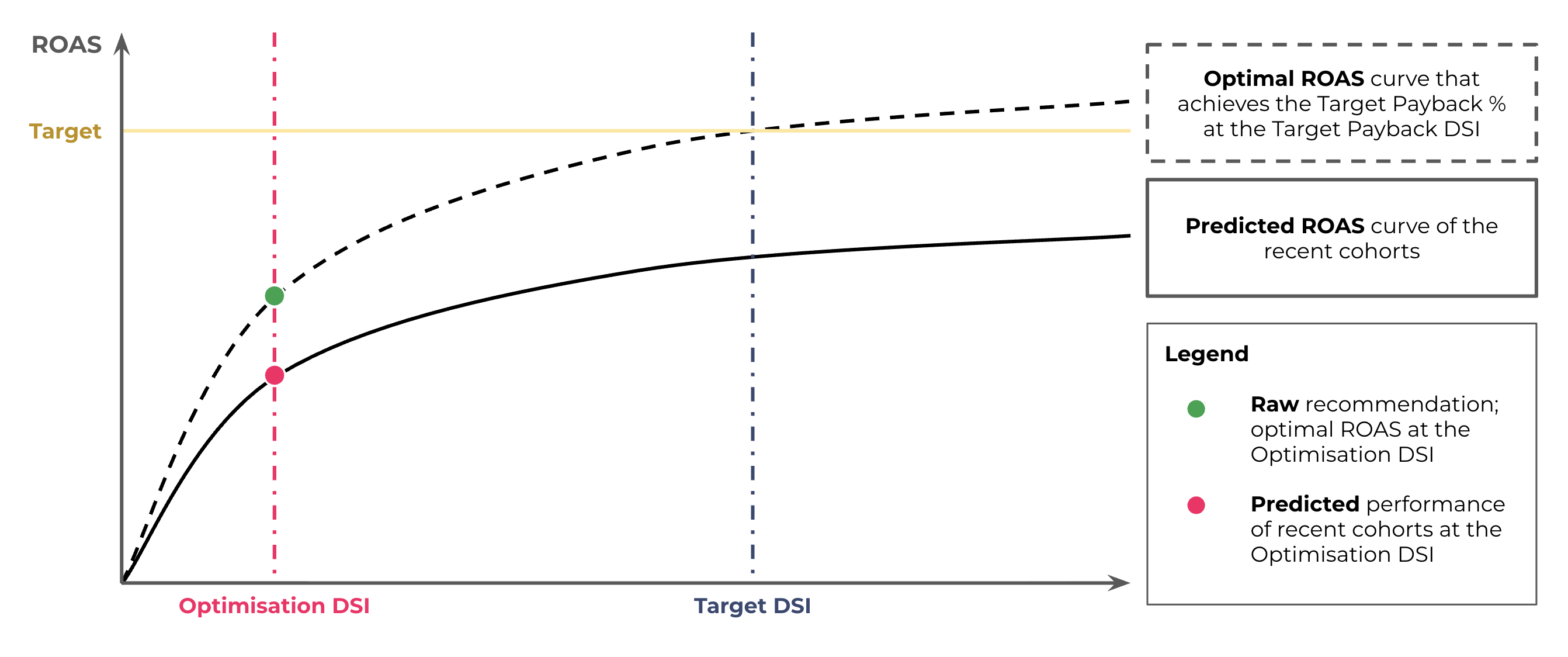
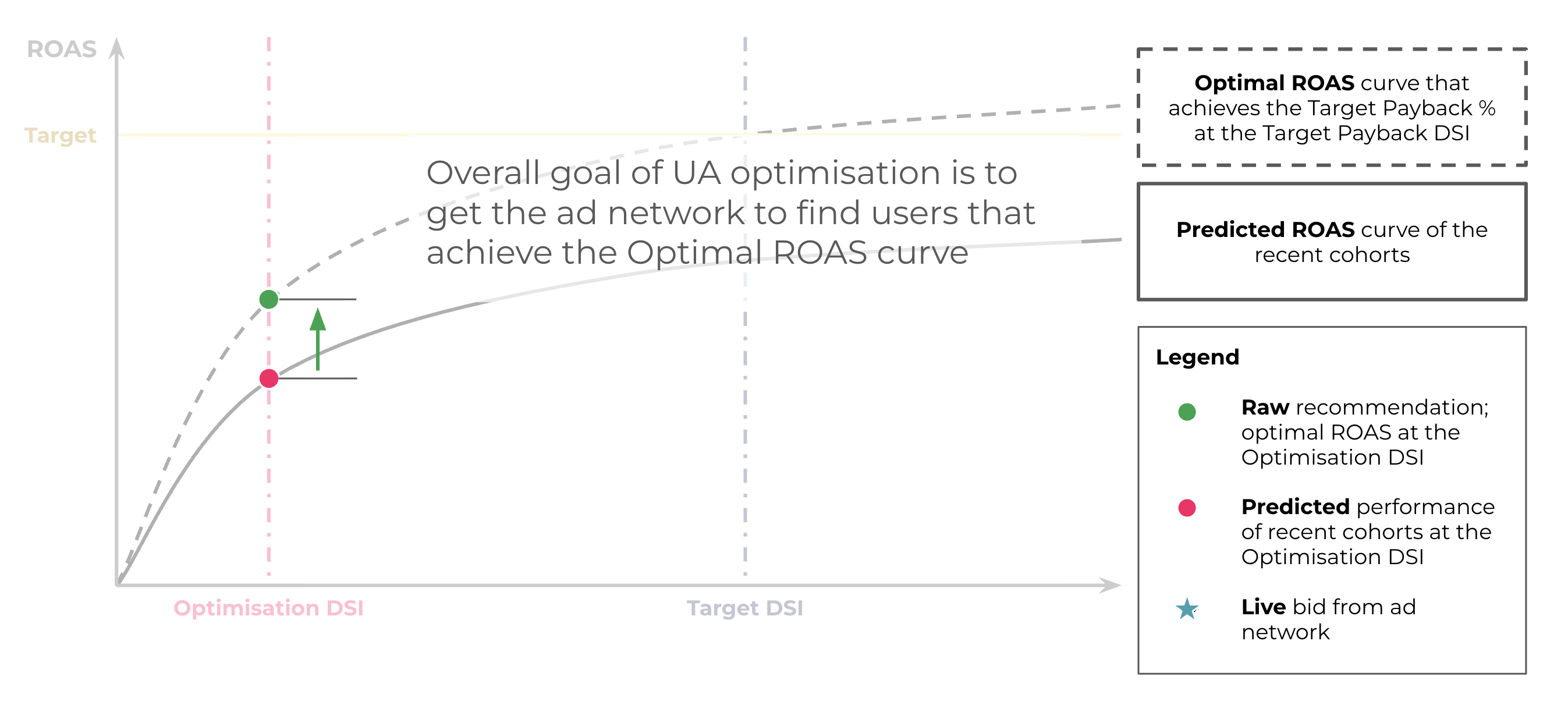
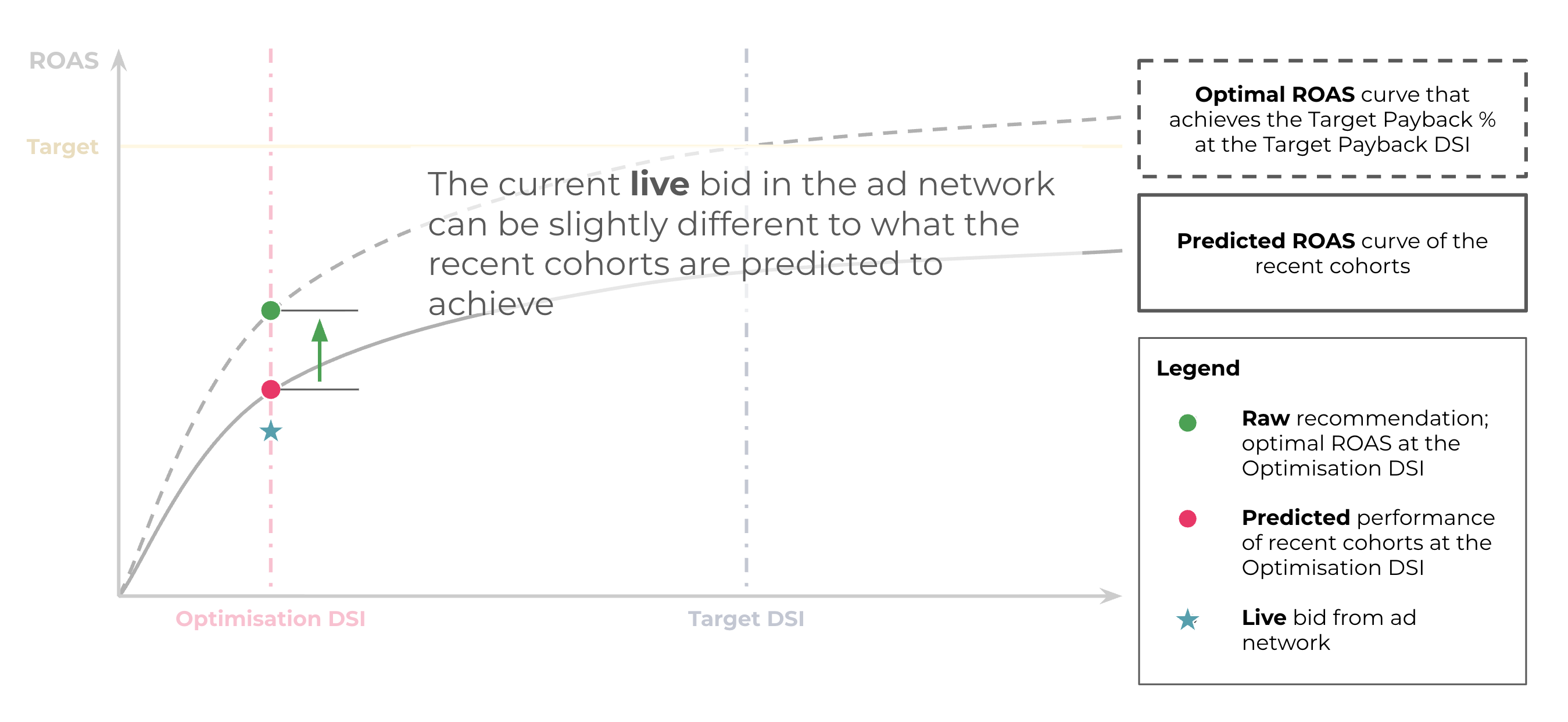
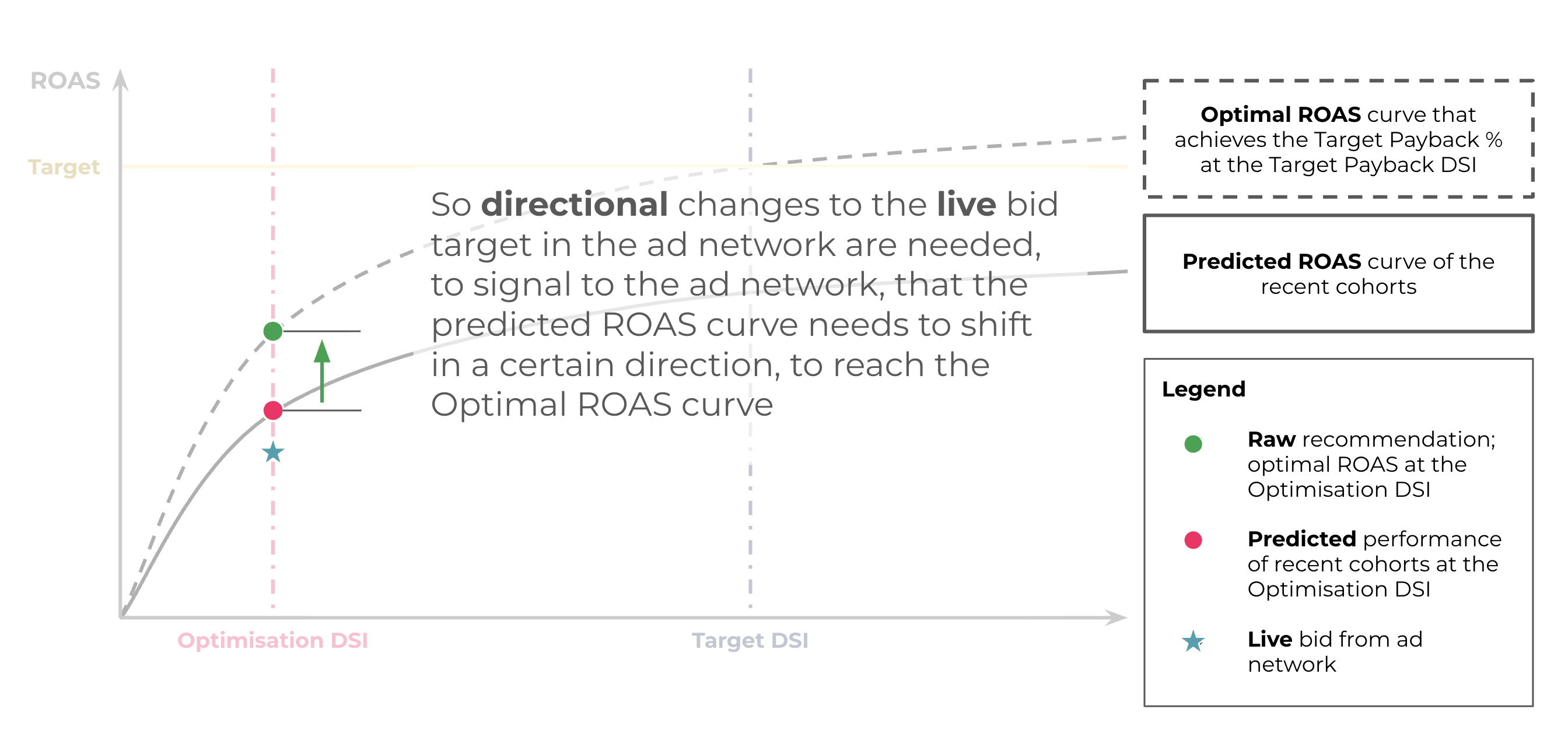
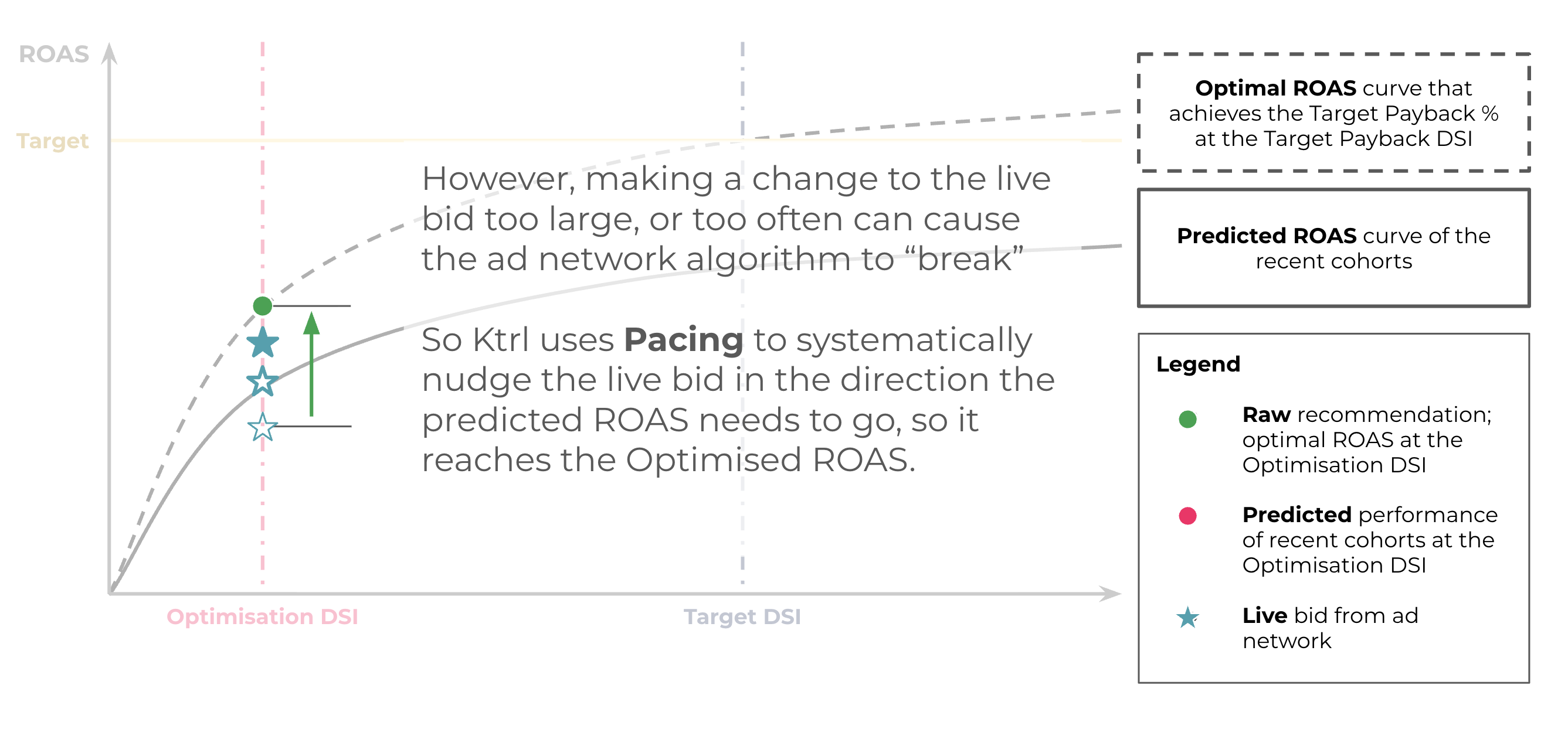
Pacing closes the loop. Ktrl ingests your live bid target, then calculates the optimal paced bid target to reach your ROAS goal. It does three things:
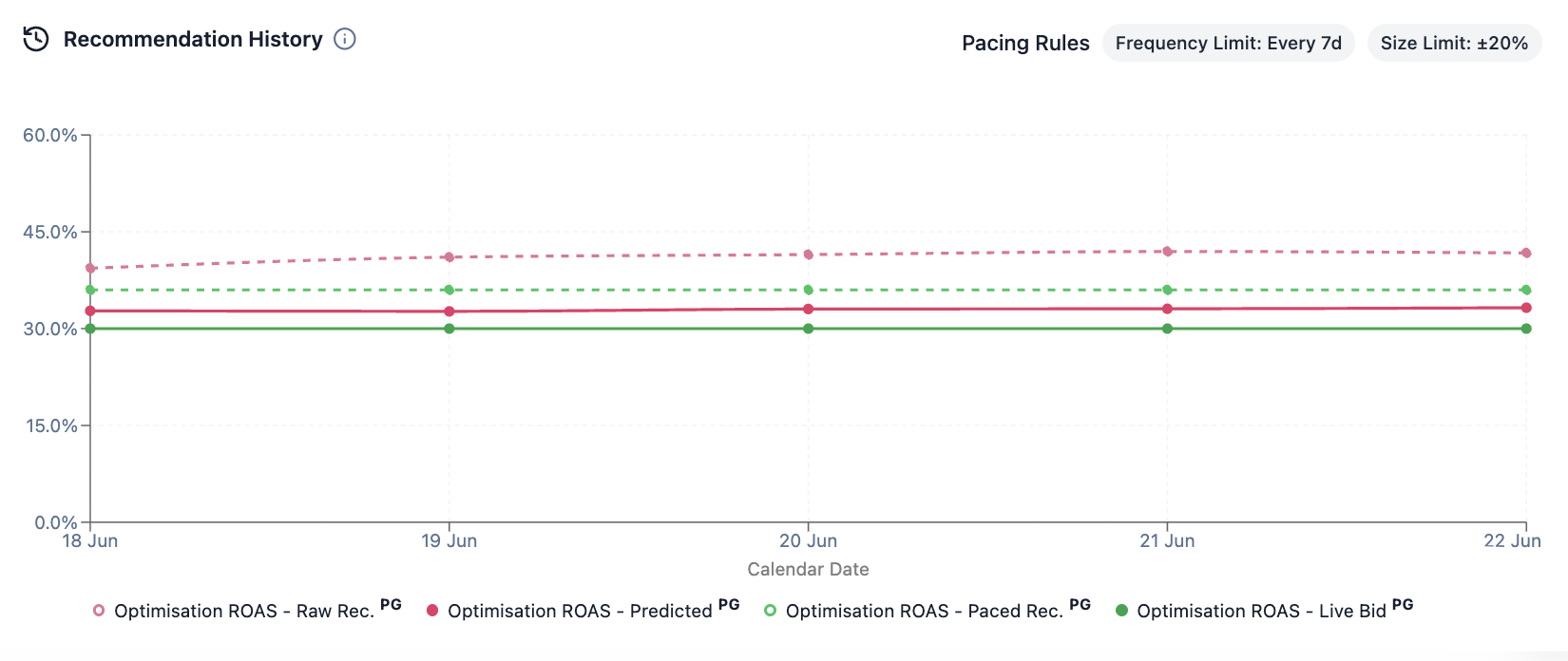
For each campaign card, you can track your paced target against the live bid, and the raw recommendation vs predicted ROAS at the Optimisation DSI it's derived from, over time on the Recommendation History chart.
Note: Pacing currently only applies to ROAS campaigns on connected networks. Other campaign types (e.g. CPI, CPE) and networks continue to show standard recommendations based on Ktrl target settings.
| State | What it means | What to do |
|---|---|---|
| Raw only | Unconstrained raw recommendation. Ad network is not supported for integration or pacing. | Nothing for now. Let us know if you'd like us to prioritise a particular ad network integration next. |
| Live → Raw | The ad network is supported, but no pacing until it's connected and live bid data exists for the specific campaign or campaign-geo. | Connect the network to unlock pacing. Check back after the next recommendation run. Use 'Sort by Geo' - sometimes there are multiple geo-level target overrides, so we will not aggregate the live bid target at campaign level. |
| Live → Paced | Your paced target recommendation differs from your live bid. | Move your live bid target toward the paced, recommended value. |
| Live = Paced (in sync) | Your live bid already matches the paced target recommendation. | No actions needed; your bid is already optimised. |
| Live = Paced (held) | A change is due, but the live bid target changed recently. The frequency limit is holding it until the next allowed update (e.g. every 7 days). | Wait - the new paced recommendation will show once the frequency limit passes. Raw recommendations are always available in the Recommendation History tab. |
Daily ROAS signals trained on $6bn of UA spend. Free to start, set up in minutes.